
Benday › Kavita app
A Kavita app for Android.
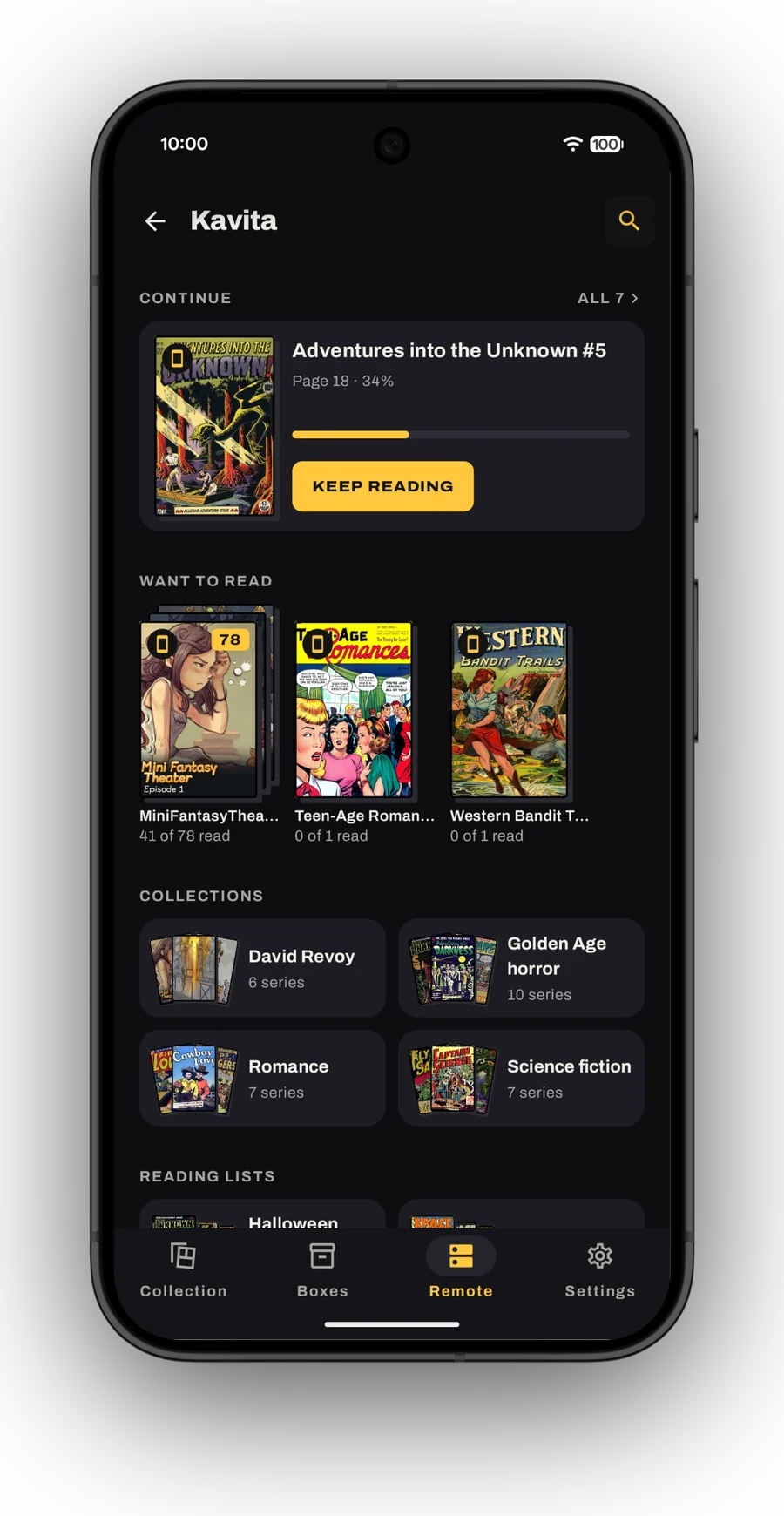
Benday signs in to your Kavita server and reads it the way Kavita arranges it: Continue, Want to read, collections and reading lists, volumes and specials, with pages streamed or downloaded and your progress synced both ways.
Get it on Google Play Free, with ads. Pro is $9.99 once.
Signing in
Sign in with your Kavita username and password, and Benday takes your OPDS key from the login. Or paste the OPDS address from Kavita's settings, which carries the key.
Your Kavita, front page first
- Shelves: Continue (each series at its continue point), Want to read, Collections and Reading lists.
- Rows: All series, New series, and one row for each library when you have more than one.
- All series: sort by name, date added, last chapter added, last read or release year, and filter by read state, genre, tag, publisher, status, writer, artist, language and age rating. Each filter offers only what the library uses.
- Search finds series and issues.
Series as Kavita keeps them
A series page carries Kavita's summary, credits, status, age rating, genres, publisher and year. Issues are grouped as volumes, then loose chapters, then specials. From its menu: Download all, mark the series read or unread on the server, and add it to or remove it from Want to read.
Collections and reading lists
Open them, add and remove issues and series, and make new ones. Rename and delete both, reorder a reading list, and download a whole list at once. At the end of an issue, Next follows the reading list you opened it from.
Reading, synced
- Pages stream through Kavita as you turn them, or the whole file downloads for offline reading.
- The page you reach is reported to Kavita, and opening an issue takes up a later place read on another device.
- Read and unread marks go to the server. Reports made offline are sent when you're back.
- A reading profile set on the series or its library decides the direction: right to left, or vertical for webtoons.
Always up to date
Benday listens to Kavita's live updates: series added or removed, scans, progress from another device, new covers, collection and reading-list changes. New issues are looked for every six hours and gathered on an Updates page.
Benday reads Komga, Codex, Stump, Mylar, Ubooquity and any OPDS catalog the same way, and your phone folders, network shares and clouds beside them.
Questions
How does Benday sign in to Kavita?
With your Kavita username and password, or by pasting your OPDS address, which carries your key.
Does Benday sync reading progress with Kavita?
Yes, both ways. The page you reach is reported to Kavita, read and unread marks go to the server, and a later place read on another device is taken up when you open the issue. Reports made offline are sent later.
Can I read Kavita comics offline?
Yes. Download an issue, a whole series or a reading list, and it reads without the server.
Do I need Benday Pro for Kavita?
No. Comic servers are part of free Benday. Pro adds balloon translation, scan clean-up and Google Drive sync, and removes the ads.